NKP teams with native RBAC and quotas: each developer in their namespace
Tested onNKP 2.19Kubernetes 1.36.2Microsoft Entra ID FreeLab date On a different version, check the compatibility matrix and the release notes before applying.
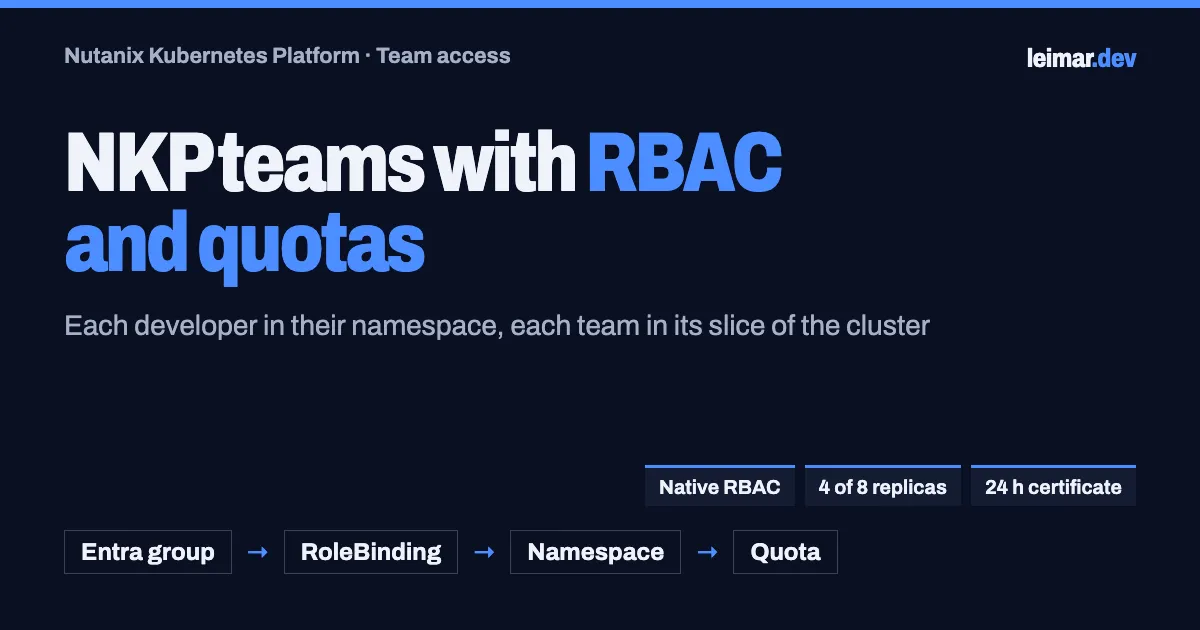
Summary: in the previous article, Entra ID started answering who signs in to NKP. This one shows what each team can do and how much it can consume, using only native Kubernetes objects: one namespace per team, a RoleBinding that ties the Entra group to the
editrole, and a ResourceQuota with a LimitRange. Carla, from the developers group, was blocked before the binding, then could create in her namespace and nowhere else, and the quota held an 8-replica deployment at 4. Before handing access over, the admin tests it by impersonating the group, in seconds. For people who should not use the UI, the cluster itself issues a 24-hour certificate bound to one namespace. The recipe does not depend on workspaces or projects, so it also fits NKP Pro and Starter.
The result in one table
| Question to the cluster | Before the RoleBinding | After the RoleBinding |
|---|---|---|
| Can Carla create deployments in the team namespace? | no | yes |
And in default? | no | no |
| Can she create RoleBindings (grant herself more)? | no | no |
| Can she list nodes? | Forbidden | Forbidden |
| Deployment asking for 8 replicas | — | 4 of 8 running: the rest blocked by the quota |
Pod without declared resources | — | Gets 50m/64Mi requests and 200m/128Mi limits from the LimitRange |
| Access without the UI (Davi) | Result |
|---|---|
| Certificate issued by the cluster | CN=davi.local, valid for 24 h |
| In his namespace | yes: creates and deploys |
default, kube-system Secrets, nodes, RoleBindings | no on all of them |
From sign-in to team access
Signing in with Entra ID answers the first question: who are you? The token that reaches the cluster carries the user and their groups. The second question belongs to Kubernetes: what can this group do, and where?
In the Entra ID article, Carla got access through an NKP project, which creates the namespace and the bindings from the UI. Workspaces and projects are part of NKP Ultimate, the lab license. Here the same result comes from native Kubernetes RBAC: three or four YAML objects that work on any edition, including clusters where the team prefers to keep access definitions in Git.
| Workspaces and projects (Ultimate) | Native RBAC (all editions) | |
|---|---|---|
| Where it is configured | NKP UI, once | YAML with kubectl apply, on each cluster |
| New cluster inherits access | Yes, NKP replicates it | No: apply the same YAML (or GitOps) |
| Namespace, binding and quota | The project creates them | One file per team |
| How to keep it in order | UI | YAML files in Git, with review |
How RBAC works: who, where and what
Every Kubernetes permission is a sentence with three parts:
%3b%7d%23mermaid-0 .cluster rect%7bfill:hsl(0%2c 0%25%2c 98.9215686275%25)%3bstroke:%23707070%3bstroke-width:1px%3b%7d%23mermaid-0 .cluster text%7bfill:%23333%3b%7d%23mermaid-0 .cluster span%7bcolor:%23333%3b%7d%23mermaid-0 .node .collapsed-indicator%7bfill:%23707070%3bstroke:none%3bopacity:0.6%3b%7d%23mermaid-0 .node .collapsed-separator%7bstroke:%23707070%3bstroke-width:0.75px%3b%7d%23mermaid-0 div.mermaidTooltip%7bposition:absolute%3btext-align:center%3bmax-width:200px%3bpadding:2px%3bfont-family:arial%2csans-serif%3bfont-size:12px%3bbackground:hsl(-160%2c 0%25%2c 93.3333333333%25)%3bborder:1px solid %23707070%3bborder-radius:2px%3bpointer-events:none%3bz-index:100%3b%7d%23mermaid-0 .flowchartTitleText%7btext-anchor:middle%3bfont-size:18px%3bfill:black%3b%7d%23mermaid-0 rect.text%7bfill:none%3bstroke-width:0%3b%7d%23mermaid-0 .icon-shape%2c%23mermaid-0 .image-shape%7bbackground-color:white%3btext-align:center%3b%7d%23mermaid-0 .icon-shape p%2c%23mermaid-0 .image-shape p%7bbackground-color:white%3bpadding:2px%3b%7d%23mermaid-0 .icon-shape .label rect%2c%23mermaid-0 .image-shape .label rect%7bopacity:0.5%3bbackground-color:white%3bfill:white%3b%7d%23mermaid-0 .label-icon%7bdisplay:inline-block%3bheight:1em%3boverflow:visible%3bvertical-align:-0.125em%3b%7d%23mermaid-0 .node .label-icon path%7bfill:currentColor%3bstroke:revert%3bstroke-width:revert%3b%7d%23mermaid-0 .node .neo-node%7bstroke:%23999%3b%7d%23mermaid-0 %5bdata-look='neo'%5d.node rect%2c%23mermaid-0 %5bdata-look='neo'%5d.cluster rect%2c%23mermaid-0 %5bdata-look='neo'%5d.node polygon%7bstroke:url(%23mermaid-0-gradient)%3bfilter:drop-shadow( 1px 2px 2px rgba(185%2c185%2c185%2c1))%3b%7d%23mermaid-0 %5bdata-look='neo'%5d.swimlane.cluster rect%7bfilter:none%3b%7d%23mermaid-0 %5bdata-look='neo'%5d.node path%7bstroke:url(%23mermaid-0-gradient)%3bstroke-width:1px%3b%7d%23mermaid-0 %5bdata-look='neo'%5d.node .outer-path%7bfilter:drop-shadow( 1px 2px 2px rgba(185%2c185%2c185%2c1))%3b%7d%23mermaid-0 %5bdata-look='neo'%5d.node .neo-line path%7bstroke:%23999%3bfilter:none%3b%7d%23mermaid-0 %5bdata-look='neo'%5d.node circle%7bstroke:url(%23mermaid-0-gradient)%3bfilter:drop-shadow( 1px 2px 2px rgba(185%2c185%2c185%2c1))%3b%7d%23mermaid-0 %5bdata-look='neo'%5d.node circle .state-start%7bfill:black%3b%7d%23mermaid-0 %5bdata-look='neo'%5d.icon-shape .icon%7bfill:url(%23mermaid-0-gradient)%3bfilter:drop-shadow( 1px 2px 2px rgba(185%2c185%2c185%2c1))%3b%7d%23mermaid-0 %5bdata-look='neo'%5d.icon-shape .icon-neo path%7bstroke:url(%23mermaid-0-gradient)%3bfilter:drop-shadow( 1px 2px 2px rgba(185%2c185%2c185%2c1))%3b%7d%23mermaid-0 :root%7b--mermaid-font-family:arial%2csans-serif%3b%7d%3c/style%3e%3cg%3e%3cmarker id='mermaid-0_flowchart-v2-pointEnd' class='marker flowchart-v2' viewBox='0 0 10 10' refX='5' refY='5' markerUnits='userSpaceOnUse' markerWidth='8' markerHeight='8' orient='auto'%3e%3cpath d='M 0 0 L 10 5 L 0 10 z' class='arrowMarkerPath' style='stroke-width: 1%3b stroke-dasharray: 1%2c 0%3b'/%3e%3c/marker%3e%3cmarker id='mermaid-0_flowchart-v2-pointStart' class='marker flowchart-v2' viewBox='0 0 10 10' refX='4.5' refY='5' markerUnits='userSpaceOnUse' markerWidth='8' markerHeight='8' orient='auto'%3e%3cpath d='M 0 5 L 10 10 L 10 0 z' class='arrowMarkerPath' style='stroke-width: 1%3b stroke-dasharray: 1%2c 0%3b'/%3e%3c/marker%3e%3cmarker id='mermaid-0_flowchart-v2-pointEnd-margin' class='marker flowchart-v2' viewBox='0 0 11.5 14' refX='11.5' refY='7' markerUnits='userSpaceOnUse' markerWidth='10.5' markerHeight='14' orient='auto'%3e%3cpath d='M 0 0 L 11.5 7 L 0 14 z' class='arrowMarkerPath' style='stroke-width: 0%3b stroke-dasharray: 1%2c 0%3b'/%3e%3c/marker%3e%3cmarker id='mermaid-0_flowchart-v2-pointStart-margin' class='marker flowchart-v2' viewBox='0 0 11.5 14' refX='1' refY='7' markerUnits='userSpaceOnUse' markerWidth='11.5' markerHeight='14' orient='auto'%3e%3cpolygon points='0%2c7 11.5%2c14 11.5%2c0' class='arrowMarkerPath' style='stroke-width: 0%3b stroke-dasharray: 1%2c 0%3b'/%3e%3c/marker%3e%3cmarker id='mermaid-0_flowchart-v2-circleEnd' class='marker flowchart-v2' viewBox='0 0 10 10' refX='11' refY='5' markerUnits='userSpaceOnUse' markerWidth='11' markerHeight='11' orient='auto'%3e%3ccircle cx='5' cy='5' r='5' class='arrowMarkerPath' style='stroke-width: 1%3b stroke-dasharray: 1%2c 0%3b'/%3e%3c/marker%3e%3cmarker id='mermaid-0_flowchart-v2-circleStart' class='marker flowchart-v2' viewBox='0 0 10 10' refX='-1' refY='5' markerUnits='userSpaceOnUse' markerWidth='11' markerHeight='11' orient='auto'%3e%3ccircle cx='5' cy='5' r='5' class='arrowMarkerPath' style='stroke-width: 1%3b stroke-dasharray: 1%2c 0%3b'/%3e%3c/marker%3e%3cmarker id='mermaid-0_flowchart-v2-circleEnd-margin' class='marker flowchart-v2' viewBox='0 0 10 10' refY='5' refX='12.25' markerUnits='userSpaceOnUse' markerWidth='14' markerHeight='14' orient='auto'%3e%3ccircle cx='5' cy='5' r='5' class='arrowMarkerPath' style='stroke-width: 0%3b stroke-dasharray: 1%2c 0%3b'/%3e%3c/marker%3e%3cmarker id='mermaid-0_flowchart-v2-circleStart-margin' class='marker flowchart-v2' viewBox='0 0 10 10' refX='-2' refY='5' markerUnits='userSpaceOnUse' markerWidth='14' markerHeight='14' orient='auto'%3e%3ccircle cx='5' cy='5' r='5' class='arrowMarkerPath' style='stroke-width: 0%3b stroke-dasharray: 1%2c 0%3b'/%3e%3c/marker%3e%3cmarker id='mermaid-0_flowchart-v2-crossEnd' class='marker cross flowchart-v2' viewBox='0 0 11 11' refX='12' refY='5.2' markerUnits='userSpaceOnUse' markerWidth='11' markerHeight='11' orient='auto'%3e%3cpath d='M 1%2c1 l 9%2c9 M 10%2c1 l -9%2c9' class='arrowMarkerPath' style='stroke-width: 2%3b stroke-dasharray: 1%2c 0%3b'/%3e%3c/marker%3e%3cmarker id='mermaid-0_flowchart-v2-crossStart' class='marker cross flowchart-v2' viewBox='0 0 11 11' refX='-1' refY='5.2' markerUnits='userSpaceOnUse' markerWidth='11' markerHeight='11' orient='auto'%3e%3cpath d='M 1%2c1 l 9%2c9 M 10%2c1 l -9%2c9' class='arrowMarkerPath' style='stroke-width: 2%3b stroke-dasharray: 1%2c 0%3b'/%3e%3c/marker%3e%3cmarker id='mermaid-0_flowchart-v2-crossEnd-margin' class='marker cross flowchart-v2' viewBox='0 0 15 15' refX='17.7' refY='7.5' markerUnits='userSpaceOnUse' markerWidth='12' markerHeight='12' orient='auto'%3e%3cpath d='M 1%2c1 L 14%2c14 M 1%2c14 L 14%2c1' class='arrowMarkerPath' style='stroke-width: 2.5%3b'/%3e%3c/marker%3e%3cmarker id='mermaid-0_flowchart-v2-crossStart-margin' class='marker cross flowchart-v2' viewBox='0 0 15 15' refX='-3.5' refY='7.5' markerUnits='userSpaceOnUse' markerWidth='12' markerHeight='12' orient='auto'%3e%3cpath d='M 1%2c1 L 14%2c14 M 1%2c14 L 14%2c1' class='arrowMarkerPath' style='stroke-width: 2.5%3b stroke-dasharray: 1%2c 0%3b'/%3e%3c/marker%3e%3cg class='root'%3e%3cg class='clusters'/%3e%3cg class='edgePaths'%3e%3cpath d='M161.391%2c59L165.557%2c59C169.724%2c59%2c178.057%2c59%2c185.724%2c59C193.391%2c59%2c200.391%2c59%2c203.891%2c59L207.391%2c59' id='mermaid-0-L_G_B_0' class='edge-thickness-normal edge-pattern-solid edge-thickness-normal edge-pattern-solid flowchart-link' style='%3b' data-edge='true' data-et='edge' data-id='L_G_B_0' data-points='W3sieCI6MTYxLjM5MDYyNSwieSI6NTl9LHsieCI6MTg2LjM5MDYyNSwieSI6NTl9LHsieCI6MjExLjM5MDYyNSwieSI6NTl9XQ==' data-look='classic' marker-end='url(%23mermaid-0_flowchart-v2-pointEnd)'/%3e%3cpath d='M395.906%2c59L400.073%2c59C404.24%2c59%2c412.573%2c59%2c420.24%2c59C427.906%2c59%2c434.906%2c59%2c438.406%2c59L441.906%2c59' id='mermaid-0-L_B_R_0' class='edge-thickness-normal edge-pattern-solid edge-thickness-normal edge-pattern-solid flowchart-link' style='%3b' data-edge='true' data-et='edge' data-id='L_B_R_0' data-points='W3sieCI6Mzk1LjkwNjI1LCJ5Ijo1OX0seyJ4Ijo0MjAuOTA2MjUsInkiOjU5fSx7IngiOjQ0NS45MDYyNSwieSI6NTl9XQ==' data-look='classic' marker-end='url(%23mermaid-0_flowchart-v2-pointEnd)'/%3e%3c/g%3e%3cg class='edgeLabels'%3e%3cg class='edgeLabel'%3e%3cg class='label' data-id='L_G_B_0' transform='translate(0%2c 0)'%3e%3cforeignObject width='0' height='0'%3e%3cdiv xmlns='http://www.w3.org/1999/xhtml' class='labelBkg' style='display: table-cell%3b white-space: nowrap%3b line-height: 1.5%3b max-width: 200px%3b text-align: center%3b'%3e%3cspan class='edgeLabel'%3e%3c/span%3e%3c/div%3e%3c/foreignObject%3e%3c/g%3e%3c/g%3e%3cg class='edgeLabel'%3e%3cg class='label' data-id='L_B_R_0' transform='translate(0%2c 0)'%3e%3cforeignObject width='0' height='0'%3e%3cdiv xmlns='http://www.w3.org/1999/xhtml' class='labelBkg' style='display: table-cell%3b white-space: nowrap%3b line-height: 1.5%3b max-width: 200px%3b text-align: center%3b'%3e%3cspan class='edgeLabel'%3e%3c/span%3e%3c/div%3e%3c/foreignObject%3e%3c/g%3e%3c/g%3e%3c/g%3e%3cg class='nodes'%3e%3cg class='node default' id='mermaid-0-flowchart-G-0' data-look='classic' transform='translate(84.6953125%2c 59)'%3e%3crect class='basic label-container' style='' x='-76.6953125' y='-51' width='153.390625' height='102'/%3e%3cg class='label' style='' transform='translate(-46.6953125%2c -36)'%3e%3crect/%3e%3cforeignObject width='93.390625' height='72'%3e%3cdiv xmlns='http://www.w3.org/1999/xhtml' style='display: table-cell%3b white-space: nowrap%3b line-height: 1.5%3b max-width: 200px%3b text-align: center%3b'%3e%3cspan class='nodeLabel'%3e%3cp%3eWHO%3cbr /%3eEntra group%3cbr /%3e(in the token)%3c/p%3e%3c/span%3e%3c/div%3e%3c/foreignObject%3e%3c/g%3e%3c/g%3e%3cg class='node default' id='mermaid-0-flowchart-B-1' data-look='classic' transform='translate(303.6484375%2c 59)'%3e%3crect class='basic label-container' style='' x='-92.2578125' y='-51' width='184.515625' height='102'/%3e%3cg class='label' style='' transform='translate(-62.2578125%2c -36)'%3e%3crect/%3e%3cforeignObject width='124.515625' height='72'%3e%3cdiv xmlns='http://www.w3.org/1999/xhtml' style='display: table-cell%3b white-space: nowrap%3b line-height: 1.5%3b max-width: 200px%3b text-align: center%3b'%3e%3cspan class='nodeLabel'%3e%3cp%3eWHERE%3cbr /%3eRoleBinding%3cbr /%3e(one namespace)%3c/p%3e%3c/span%3e%3c/div%3e%3c/foreignObject%3e%3c/g%3e%3c/g%3e%3cg class='node default' id='mermaid-0-flowchart-R-3' data-look='classic' transform='translate(549.265625%2c 59)'%3e%3crect class='basic label-container' style='' x='-103.359375' y='-51' width='206.71875' height='102'/%3e%3cg class='label' style='' transform='translate(-73.359375%2c -36)'%3e%3crect/%3e%3cforeignObject width='146.71875' height='72'%3e%3cdiv xmlns='http://www.w3.org/1999/xhtml' style='display: table-cell%3b white-space: nowrap%3b line-height: 1.5%3b max-width: 200px%3b text-align: center%3b'%3e%3cspan class='nodeLabel'%3e%3cp%3eWHAT%3cbr /%3eClusterRole edit%3cbr /%3e(verbs on resources)%3c/p%3e%3c/span%3e%3c/div%3e%3c/foreignObject%3e%3c/g%3e%3c/g%3e%3c/g%3e%3c/g%3e%3c/g%3e%3cdefs%3e%3cfilter id='mermaid-0-drop-shadow' height='130%25' width='130%25'%3e%3cfeDropShadow dx='4' dy='4' stdDeviation='0' flood-opacity='0.06' flood-color='black'/%3e%3c/filter%3e%3c/defs%3e%3cdefs%3e%3cfilter id='mermaid-0-drop-shadow-small' height='150%25' width='150%25'%3e%3cfeDropShadow dx='2' dy='2' stdDeviation='0' flood-opacity='0.06' flood-color='black'/%3e%3c/filter%3e%3c/defs%3e%3clinearGradient id='mermaid-0-gradient' gradientUnits='objectBoundingBox' x1='0%25' y1='0%25' x2='100%25' y2='0%25'%3e%3cstop offset='0%25' stop-color='hsl(0%2c 0%25%2c 83.3333333333%25)' stop-opacity='1'/%3e%3cstop offset='100%25' stop-color='hsl(0%2c 0%25%2c 88.9215686275%25)' stop-opacity='1'/%3e%3c/linearGradient%3e%3c/svg%3e)
RBAC only adds permissions: there is no deny rule. If no binding granted it, the answer is Forbidden. That is why starting with no access and granting the minimum is the natural path.
Kubernetes ships four ready-made roles that cover most teams:
| Role | Can | Cannot | For whom |
|---|---|---|---|
view | Read pods, deployments, services and logs | Read Secrets; change anything | Support, audit, developers in production |
edit | Create, change and delete almost everything in the namespace | Touch permissions (Roles and RoleBindings) | Developers in staging |
admin | Everything in edit + RoleBindings in the namespace | Change the quota; cluster resources | Team tech lead |
cluster-admin | Everything, in every namespace | — | Platform team, few people |
The edit role reads Secrets
The edit role can read the namespace Secrets. For a team that should only see what runs, view is the starting point; for people who deploy, edit in the staging namespace and view in production.
The most common combination for teams is a reusable ClusterRole (edit) bound by a RoleBinding in each namespace. A ClusterRoleBinding applies to the whole cluster, including whatever is created later: keep it for the platform team.
What to prepare first
| Prerequisite | Why | How to check |
|---|---|---|
| Sign-in with groups working (Entra ID article) | The binding points to the group that arrives in the token | Carla signs in to the UI and generates her kubeconfig (Generate Token) |
| The group name as it arrives in the token | On NKP with Entra, it is oidc: + the group Object ID, not the display name | kubectl auth whoami with Carla’s kubeconfig |
| Cluster admin kubeconfig | Who creates the namespace, the quota and the binding | kubectl auth can-i '*' '*' = yes |
| One kubeconfig per person in the terminal | Generate Token writes to the active kubeconfig | export KUBECONFIG=~/.kube/carla.conf before pasting the commands |
Best practice: keep the group in a variable
The group Object ID does not need to show on screen or sit in Git in plain text. In the lab, the YAML has a placeholder (__GRUPO_DEVS__) replaced at apply time by the value stored in a file on the bastion. To confirm it is the same group as the token: kubectl auth whoami -o jsonpath='{.status.userInfo.groups}' | grep -qF "$GRUPO_DEVS" && echo OK.
1. The team space: namespace, quota and resource defaults
One file per team. The quota is the namespace ceiling; the LimitRange gives default values to anyone who does not declare resources, which keeps the quota from rejecting a pod for lack of requests.
apiVersion: v1kind: Namespacemetadata: name: time-dev-demo---apiVersion: v1kind: ResourceQuotametadata: name: quota-time-dev namespace: time-dev-demospec: hard: pods: "4" requests.cpu: "1" requests.memory: 1Gi limits.cpu: "2" limits.memory: 2Gi services.loadbalancers: "0" # o time publica por Ingress, sem consumir IP do load balancer---apiVersion: v1kind: LimitRangemetadata: name: padrao-time-dev namespace: time-dev-demospec: limits: - type: Container defaultRequest: {cpu: 50m, memory: 64Mi} # para quem não declarar requests default: {cpu: 200m, memory: 128Mi} # para quem não declarar limits---apiVersion: rbac.authorization.k8s.io/v1kind: RoleBindingmetadata: name: devs-edit namespace: time-dev-demoroleRef: {apiGroup: rbac.authorization.k8s.io, kind: ClusterRole, name: edit}subjects: - {apiGroup: rbac.authorization.k8s.io, kind: Group, name: "__GRUPO_DEVS__"}To show the before and after, the admin first applies everything except the RoleBinding:
sed "s|__GRUPO_DEVS__|$GRUPO_DEVS|" time-dev.yaml | yq 'select(.kind != "RoleBinding")' | kubectl apply -f -kubectl describe resourcequota -n time-dev-demonamespace/time-dev-demo createdresourcequota/quota-time-dev createdlimitrange/padrao-time-dev createdResource Used Hard-------- ---- ----limits.cpu 0 2limits.memory 0 2Gipods 0 4requests.cpu 0 1requests.memory 0 1Giservices.loadbalancers 0 02. Authenticated, but no access
With her kubeconfig, Carla asks the cluster who she is and what she can do:
$ kubectl auth whoamiATTRIBUTE   VALUEUsername    [email protected]Groups      [oidc:<id> system:authenticated]
$ kubectl auth can-i create deployments -n time-dev-demono
$ kubectl get pods -n time-dev-demoError from server (Forbidden): pods is forbidden: User "[email protected]" cannot list resource "pods" in API group "" in the namespace "time-dev-demo"
Entra authenticated Carla, with MFA. The cluster knows who she is and which group she belongs to, but no binding granted that group any permission in this namespace.
3. Access for the group, tested before handing it over
The admin applies the whole file, now with the RoleBinding, and impersonates the group to ask the cluster before telling the team:
sed "s|__GRUPO_DEVS__|$GRUPO_DEVS|" time-dev.yaml | kubectl apply -f -kubectl auth can-i create deployments -n time-dev-demo --as=teste --as-group="$GRUPO_DEVS"kubectl auth can-i create deployments -n default --as=teste --as-group="$GRUPO_DEVS"namespace/time-dev-demo unchangedresourcequota/quota-time-dev unchangedlimitrange/padrao-time-dev unchangedrolebinding.rbac.authorization.k8s.io/devs-edit createdyesnoBest practice: test by impersonation before handing over access
Impersonation (--as and --as-group) answers in seconds whether the group can do what it needs, and only there. It is the same test that validated the profiles in the Entra ID article, and it avoids finding a wrong binding through the team’s support ticket.
4. Carla, only in her namespace
$ kubectl auth can-i create deployments -n time-dev-demoyes$ kubectl auth can-i create deployments -n defaultno$ kubectl auth can-i create rolebindings -n time-dev-demono$ kubectl get nodesError from server (Forbidden): nodes is forbidden: User "[email protected]" cannot list resource "nodes" in API group "" at the cluster scopeWith edit, she creates in the team namespace, does not touch the others, does not see the nodes and cannot grant herself more permission: the role does not include Roles or RoleBindings. Least privilege at work.
5. The quota holding consumption
Carla deploys an application without declaring resources, and the LimitRange fills them in:
kubectl create deployment podinfo --image=ghcr.io/stefanprodan/podinfo:6.7.1 -n time-dev-demokubectl -n time-dev-demo rollout status deploy/podinfokubectl get pod -n time-dev-demo -o jsonpath='{.items[0].spec.containers[0].resources}'deployment.apps/podinfo createdWaiting for deployment "podinfo" rollout to finish: 0 of 1 updated replicas are available...deployment "podinfo" successfully rolled out{"limits":{"cpu":"200m","memory":"128Mi"},"requests":{"cpu":"50m","memory":"64Mi"}}Then she asks for 8 replicas, twice what the quota allows:
kubectl scale deployment podinfo --replicas=8 -n time-dev-demokubectl get deploy -n time-dev-demokubectl get events -n time-dev-demo --field-selector reason=FailedCreate | tail -1NAME READY UP-TO-DATE AVAILABLE AGEpodinfo 4/8 4 4 17s15s Warning FailedCreate replicaset/podinfo-7f5848f5f6 Error creating: pods "podinfo-7f5848f5f6-xqgr5" is forbidden: exceeded quota: quota-time-dev, requested: pods=1, used: pods=4, limited: pods=4The deployment does not fail: it stays at 4/8, and the reason is in the events, not in the deployment. On the admin side, the quota shows the consumption:
Resource Used Hard-------- ---- ----limits.cpu 800m 2limits.memory 512Mi 2Gipods 4 4requests.cpu 200m 1requests.memory 256Mi 1Giservices.loadbalancers 0 0Best practice: leave quota headroom for rollouts
A deployment update (rolling update) starts new pods before stopping the old ones. With the pod quota at its limit, the extra pod does not start and the update does not progress. Size the quota with one or two replicas of headroom, or adjust the deployment maxSurge.
6. kubectl-only access, without the UI
Some people should not use the NKP UI: an automation, a vendor for a limited time, an exception. For them, Kubernetes itself issues a client certificate through the CertificateSigningRequest API, and RBAC binds that user to one namespace. It works on any NKP edition, because it is standard Kubernetes.
The flow, in six steps (Davi is a local user, davi.local):
- The key and the certificate request are generated with
CN=davi.local(the CN becomes the user name). - The admin creates the
CertificateSigningRequestwith a 24-hour validity and approves it. - Davi’s kubeconfig points to the same API server, with his certificate.
- Davi authenticates, still without permission:
can-i= no. - The admin creates the
acesso-direto-demonamespace and aneditRoleBinding just fordavi.local. - Davi works in his namespace and nowhere else.
apiVersion: certificates.k8s.io/v1kind: CertificateSigningRequestmetadata: name: davi-local-demospec: request: <CSR in base64> signerName: kubernetes.io/kube-apiserver-client expirationSeconds: 86400 # 24 hours usages: [client auth]kubectl certificate approve davi-local-demokubectl create rolebinding davi-edit --clusterrole=edit --user=davi.local -n acesso-direto-demoNAME AGE SIGNERNAME REQUESTOR REQUESTEDDURATION CONDITIONdavi-local-demo 1s kubernetes.io/kube-apiserver-client kubernetes-admin 24h Approved,Issuedsubject=CN=davi.localnotAfter=Nov 11 18:31:31 2026 GMT
$ kubectl auth whoami # with Davi's kubeconfig, before the RoleBindingATTRIBUTE VALUEUsername davi.localGroups [system:authenticated]
can-i create deployments -n acesso-direto-demo: yes can-i create deployments -n default: no can-i get secrets -n kube-system: no can-i list nodes: no can-i create rolebindings -n acesso-direto-demo: noA certificate cannot be revoked
Kubernetes has no revocation list for client certificates. To remove Davi’s access before it expires, delete the RoleBinding: the certificate still authenticates, but with no permission at all. That is why the validity is short (24 hours) and the use is for exceptions only. Never put system:masters in the certificate organization field (O=): that group has full access and bypasses RBAC. In a production environment, proceed with caution.
For people, day to day, the path is still the Entra sign-in: MFA, offboarding and team changes stay in one place.
A team model to start with
Entra groups on one side, namespaces on the other, the role in the middle. Example names:
| Entra group | Where | Role | Binding |
|---|---|---|---|
nkp-plataforma | Whole cluster | cluster-admin | ClusterRoleBinding |
nkp-dev-sistemax | sistemax-hml | edit | RoleBinding |
nkp-dev-sistemax | sistemax-prd | view | RoleBinding |
nkp-lider-sistemax | sistemax-hml | admin | RoleBinding |
nkp-suporte | System namespaces | view | RoleBinding in each one |
Golden rule: permission for groups, never for people. Who joins or leaves the team changes in Entra, not in the cluster.
The numbers
| Measure | Value |
|---|---|
| Objects per team (namespace, quota, LimitRange, RoleBinding) | 4, in a single file |
| From namespace created to Carla working only in her namespace | 2 s |
| Binding test by impersonation | 2 commands, answer within the same second |
| Full rehearsal, from namespace to cleanup | 24 s (including a deliberate 15 s wait) |
| Example team quota | 4 pods · 1 vCPU / 1 GiB requests · 2 vCPU / 2 GiB limits |
| LimitRange default per container | 50m / 64Mi request · 200m / 128Mi limit |
| Deployment asking for 8 replicas | 4 running, 4 blocked by the quota |
| Consumption with 4 replicas | 200m CPU and 256Mi memory in requests (20% and 25% of the quota) |
| From certificate request to Davi’s pod running | 5 s |
| Certificate validity for UI-less access | 24 h |
| Generate Token kubeconfig validity | 24 h |
What I learned
- Sign-in and permission are separate layers. Entra authenticates; the RoleBinding authorizes. Carla authenticated and blocked in step 2 is the expected behavior.
- The binding group must be the token group. On NKP with Entra, it is
oidc:<Object ID>. Check it withkubectl auth whoamibefore writing the YAML. - Test by impersonation before handing over access.
--as-groupanswers in seconds and also shows what the team cannot do. editis the right role for developers in staging, and it does not let the team widen its own access. In production,view.- A quota without a LimitRange rejects pods without
resources. The LimitRange sets the default and lets the quota do its job. - Quota errors show up in the events, not in the deployment.
kubectl get events --field-selector reason=FailedCreateis the first place to look. - Certificate access is an exception, with short validity. Removing access means deleting the binding; the certificate only stops authenticating when it expires.
Checklist: one namespace per team
- Sign-in with groups working and the group name checked in the token (
kubectl auth whoami) - One namespace per system and per environment (
-hml,-prd) - RoleBinding for the group, never for the person
-
editin staging,viewin production,adminonly for the tech lead - ResourceQuota in every team namespace, with headroom for rollouts
- LimitRange with default requests and limits
- Binding tested with
kubectl auth can-i --as-groupbefore telling the team - One YAML per team in Git, with review
- Certificate access only for exceptions: 24 h, never
system:masters, binding deleted at the end - Periodic review: who has
cluster-admintoday?
What I haven’t tested yet
- An Entra user on
kubectlonly, with browser sign-in straight from the terminal (kubelogin through Dex), without going through the NKP UI. - The same YAML files applied through GitOps to several clusters at once.
- Quotas calibrated by real consumption after 30 days of a team’s usage.
- A cluster with a Pro or Starter license. The recipe uses only native Kubernetes objects, which do not depend on the edition, but it ran in the lab, with an Ultimate license.
References
Nutanix
- Nutanix Kubernetes Platform: datasheet and editions
- Nutanix Kubernetes Platform Guide 2.19, Access Control section (Nutanix portal)
Projects and community
Comments
Comments use GitHub Discussions; you need a GitHub account.