Upgrading NKP 2.18 → 2.19 in practicePart 1: the preparation
Summary: before the first upgrade command, I went through four preparation phases: assessment, creating a workload cluster, downloads, and backup with pre-checks. That is where almost every problem in the project showed up. This is part 1 of a three-part series.
The context
Nutanix released Nutanix Kubernetes Platform (NKP) 2.19 on October 20, 2026. Besides Kubernetes 1.36, the feature I cared about most was upgrading workload clusters from the UI, one cluster at a time.
The starting environment:
- Nutanix hyperconverged cluster with 3 AHV nodes (376 GiB of RAM each), Prism Central and AOS 7.6
- NKP 2.18 Ultimate with a single cluster, the management cluster: 3 control planes and 4 workers, Kubernetes 1.35.2, Rocky Linux 9.7
- Internet access (not air-gapped)
The phased plan and the series
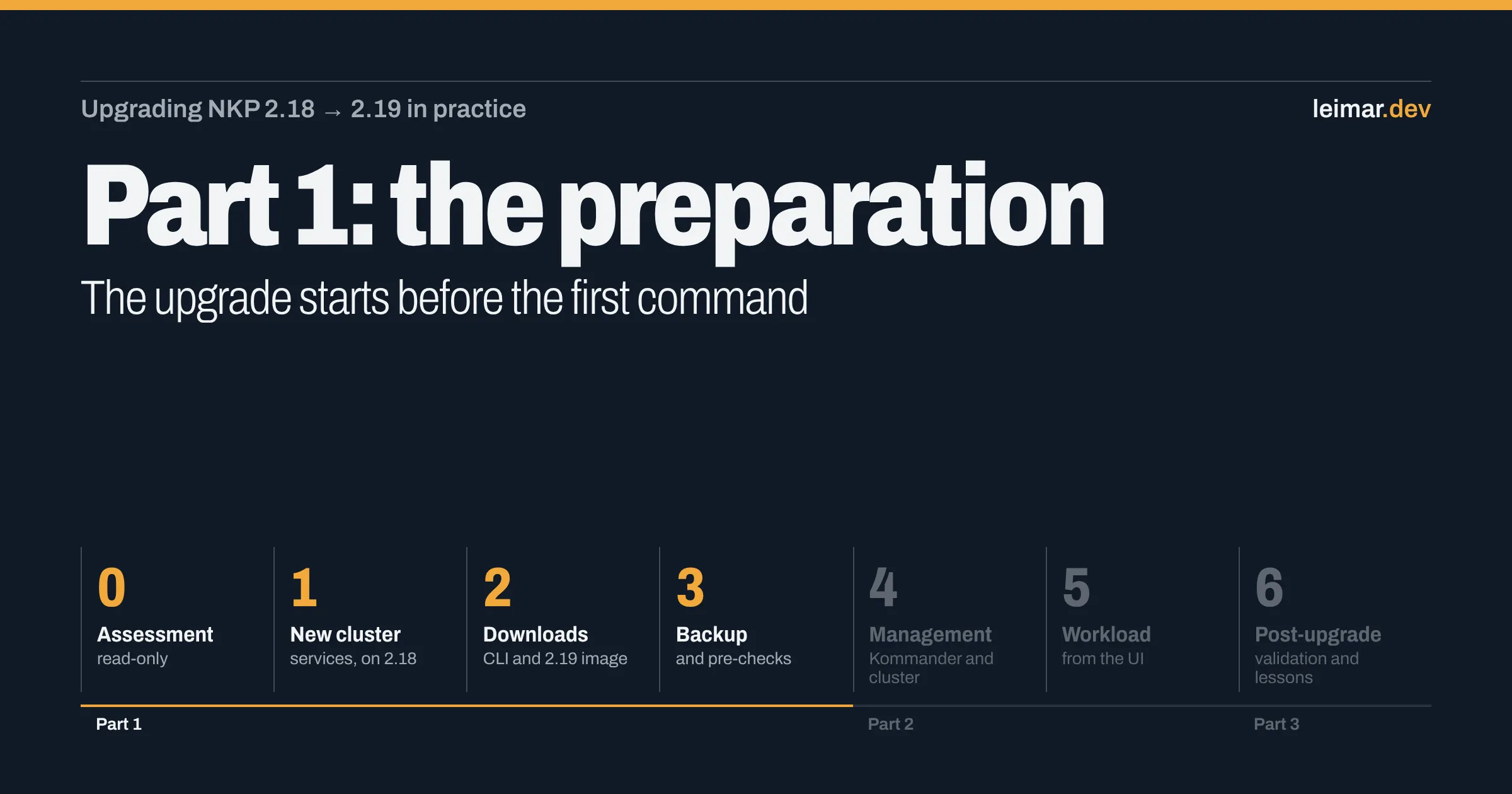
I split the project into seven phases. Each post in the series covers one block:
| Phase | What it is | Post |
|---|---|---|
| 0 | Read-only assessment and environment cleanup | Part 1 (this one) |
| 1 | Create a workload cluster, still on 2.18 | Part 1 (this one) |
| 2 | Downloads: 2.19 CLI and node image | Part 1 (this one) |
| 3 | Backup and pre-checks | Part 1 (this one) |
| 4 | Management upgrade (Kommander, then the cluster) | Part 2 |
| 5 | Workload cluster upgrade from the UI | Part 2 |
| 6 | Post-upgrade: validation, lessons and what 2.19 brings | Part 3 |
Two rules guided everything:
- Management goes first. Coming from 2.18, Kommander and the management cluster are upgraded with the CLI. Only then can the UI upgrade workload clusters.
- There is no in-place downgrade. If something goes badly wrong, the way back is restoring the backup. That is why Phase 3 is not optional.
Phase 0: assessment and cleanup
Goal: know exactly what exists before touching anything, and fix whatever would get in the way of the upgrade.
Read-only assessment
I wrote a script that only reads information from the cluster and saves everything to an evidence file:
export KUBECONFIG=~/.kube/mgmt-admin.confkubectl get nodes -o widekubectl get clusters -A # version, ClusterClass, phasekubectl get svc -A | grep LoadBalancer # MetalLB IPskubectl get gitrepositories,ocirepositories -A # catalogskubectl get helmreleases -A # failing appskubectl get pdb -A # PDBs that could block the drainkubectl -n kube-system get cm coredns -o yaml # DNS customizationsOn the first run, almost everything failed with You must be logged in to the server. The kubeconfig I was using went through Kommander and relied on a token that had expired. With the admin kubeconfig, which uses a certificate and points straight at the control plane VIP on port 6443, the script ran end to end.
The cluster was healthy. The points that matter for 2.19:
- ClusterClass
nkp-nutanix-v2.18.0: the requirement for the simplified upgrade. - All catalogs were OCI. 2.19 no longer supports
GitRepository-based catalogs; the only one present was Kommander’s own internal repository, which is standard. - PDBs allowed at least one disruption, so node drains should not get stuck.
- CoreDNS had extra zones. Keep this in mind: it comes back in Phase 1.
2.19 prerequisites
I cross-checked the release notes and the official Upgrade Guide against the environment:
| Prerequisite | Status | Fixed in |
|---|---|---|
| Prism Central and AOS 7.5 or 7.6 | ✅ 7.6 | — |
| OCI catalogs | ✅ | — |
| ClusterClass for the upgrade | ✅ | — |
| Starting from Kubernetes 1.35.x | ✅ 1.35.2 | — |
nkp CLI 2.19 | ❌ | Phase 2 |
| Rocky Linux 9.8 node image | ❌ | Phase 2 |
| Nutanix registry credentials on every cluster | ❌ | Phase 3 |
| Prism Central permissions (2.18 and 2.19) | ⚠️ check | Phase 3 |
Capacity: does it fit if a host goes down?
On a 3-node HCI cluster, the right question is whether everything fits with N+1, meaning below roughly 2/3 of total memory. My first estimate assumed 256 GiB hosts and said it would not fit. Prism showed 376 GiB per node:
| Scenario | Estimated RAM | Within N+1 (~752 GiB)? |
|---|---|---|
| Today, after cleanup | ~410 GiB | ✅ |
| + services cluster (Phase 1) | ~555 GiB | ✅ |
| + PoC cluster (future) | ~635 GiB | ✅ |
| + rolling upgrade headroom | ~665 GiB | ✅ |
A rolling upgrade brings up a new VM before removing the old one, so that headroom has to be in the math.
Cleanup: what depends on what you are about to delete?
To free capacity, I removed an idle bastion VM and a legacy Kubernetes cluster (RKE2). Two questions prevented trouble:
- Where is the SSH key for the NKP nodes? Before deleting the bastion, I tested from the other one:
ssh -o BatchMode=yes konvoy@<worker-ip> hostname. The key was on the right bastion. - What runs on the legacy cluster? After deleting it, Prism Central login through the identity provider stopped working: the IdP was running right there. Access continued through the local account, and Keycloak comes later. The management cluster’s CoreDNS also had a zone pointing at that cluster, which I removed.
Network: IPAM does not see the physical world
A physical device (an NVIDIA DGX Spark) had a static IP inside the Nutanix IPAM pool. IPAM only knows about AHV VMs and could hand that IP to a new node while creating a cluster or during the rolling upgrade. I shrank the pool and laid out the network plan (anonymized example):
| Range | Use |
|---|---|
| 192.0.2.1 – .99 | Nutanix infrastructure and the NKP management cluster (VIP and MetalLB) |
| 192.0.2.128 – .249 | IPAM pool for VMs |
| 192.0.2.250 – .254 | Physical devices (outside the pool) |
| 198.51.100.50 – .129 | VIPs and MetalLB for the new clusters |
Alerts: severity is not impact
Of the two critical Prism Central alerts, only one affected NKP: “Data Services IP is unreachable”, the iSCSI address the CSI driver uses for volumes. I tested it (nc -vz <dsip> 3260), it answered, and the alert was stale. The other one only affected Prism Self-Service and was left for later.
Phase 0 outcome
Healthy environment, confirmed capacity, mapped dependencies, clean network and alerts. And a clear list of what was missing: CLI, image and credentials.
Phase 1: create the workload cluster (still on 2.18)
Goal: have a workload cluster on 2.18 to test the headline feature of 2.19, the UI upgrade. Without one, there would be nothing to upgrade.
I created a new workspace and, inside it, the services cluster from the Kommander UI (Clusters → Add Cluster → Create Cluster): 3 control planes, 3 workers, VIP and MetalLB range outside the IPAM pool. Three form details:
- The workspace comes pre-selected with a different one. Check it.
- The worker count defaults to 4.
- The private registry accepts the Docker Hub URL with a username and token, which avoids the anonymous pull limit.
In about 10 minutes the cluster was Active. I validated it with a test volume (a 1 GiB PVC created, written and deleted) and deployed podinfo with 3 replicas, a PodDisruptionBudget and a LoadBalancer. It was the upgrade thermometer: a curl loop hit it throughout the whole window.
Troubleshooting: the cluster born without DNS
Half an hour later, no platform application had been installed. NKP installs apps in three steps: the cluster joins Kommander, Flux is installed on it, and Flux pulls the configuration from Kommander. The third step was stuck:
NAMESPACE NAME READY STATUSkommander-flux management False failed to checkout and determine revision: unable to clone 'https://nkp.lab.example.local/dkp/kommander/git-operator/repositories/kommander/kommander.git': dial tcp: lookup nkp.lab.example.local on 10.96.0.10:53: no such hostThe cause: Flux needs to reach Kommander by its internal name, but the new cluster’s CoreDNS forwarded queries to public DNS, which does not know the domain. The management cluster only resolved that name because of the extra zones from Phase 0. The new cluster was born without them.
The fix: replicate the zone in the new cluster’s CoreDNS and ask Flux to retry:
export KUBECONFIG=~/.kube/services.confkubectl -n kube-system get cm coredns -o yaml > coredns-backup.yamlkubectl -n kube-system get cm coredns -o jsonpath='{.data.Corefile}' > Corefilecat >> Corefile <<'B'lab.example.local:53 { errors hosts { 192.0.2.61 nkp.lab.example.local } cache 30}Bkubectl -n kube-system create cm coredns --from-file=Corefile=Corefile \ --dry-run=client -o yaml | kubectl apply -f -kubectl -n kommander-flux annotate gitrepository management \ reconcile.fluxcd.io/requestedAt="$(date +%s)" --overwriteWithin minutes, every app in the workspace was Deployed. The permanent fix is a real internal DNS server in IPAM; without it, every new cluster will need the same patch.
And that patch did not fix everything: a side effect of that first day without DNS stayed hidden in the cluster and only surfaced the day of the workload upgrade. That story is in part 2.
Phase 1 outcome
Workload cluster Active on 2.18, apps installed, and a thermometer (podinfo) ready to measure downtime.
Phase 2: downloads
Goal: have everything the upgrade will use, at the exact version.
nkp CLI 2.19
The CLI must be exactly the target version. On the portal, under Downloads → NKP, the item is NKP for Linux (v2.19.0, nkp_v2.19.0_linux_amd64.tar.gz, about 180 MB). Instead of downloading it to your laptop and copying it over, use the three-dot menu: Copy Download Link gives you a temporary link to download straight onto the bastion, and Copy SHA256 copies the hash to verify the file.
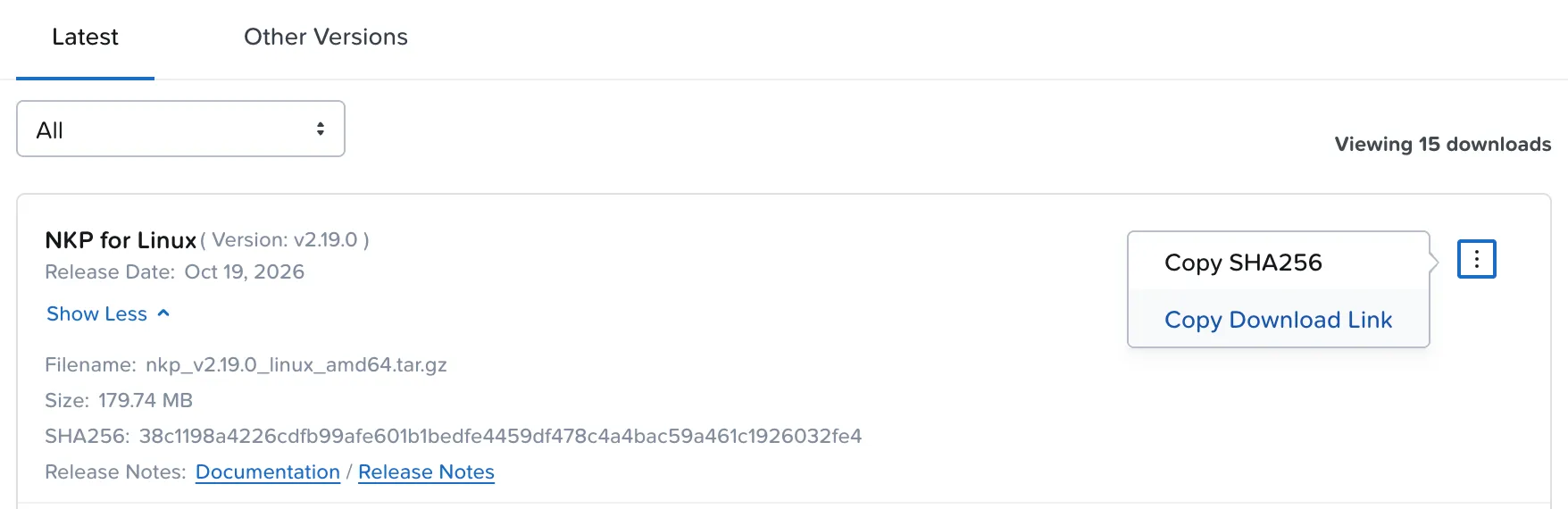
On the bastion, I downloaded it, checked the hash and installed it:
curl -fLo nkp_v2.19.0_linux_amd64.tar.gz "<link-copied-from-the-portal>"echo "38c1198a4226cdfb99afe601b1bedfe4459df478c4a4bac59a461c1926032fe4 nkp_v2.19.0_linux_amd64.tar.gz" | sha256sum -ctar xzf nkp_v2.19.0_linux_amd64.tar.gzsudo mv nkp /usr/local/bin/nkp version # nkp, kommander and konvoy at v2.19.0sha256sum -c must answer OK. The link copied from the portal is signed and expires within a few hours: don’t store or share it, just generate a new one when you need it.
Rocky Linux 9.8 node image
On the portal, the image is the 2.19 NKP Node OS Image (Rocky Linux 9.8, CIS Hardened) for AHV. I uploaded it to Prism Central as a new image, following two rules:
- Check the SHA256 published on the portal.
- Do not rename the image. Both the upgrade command and the UI reference it by its exact name (in my case,
nkp-rocky-9.8-release-cis-1.36.2-…qcow2).
The same image works for the management cluster and the workload clusters.
Phase 2 outcome
CLI 2.19 installed on the bastion and the 9.8 image available in Prism Central, next to the 9.7 image in use.
Phase 3: backup and pre-checks
Goal: guarantee a way back and arrive at the window with every prerequisite green.
The pre-check script
A second script, also read-only, checked the items the 2.19 Upgrade Guide requires:
- Health of both clusters (nodes, failing HelmReleases and pods)
- The Prism Central user NKP uses
- Nutanix registry credentials present
- DNS timeouts in the last hour (ideally zero)
- Export of manifests and CoreDNS from both clusters
What the pre-checks found
- The Nutanix registry credentials were missing. The clusters only had a regular Docker Hub credential, and I assumed that was enough. It is not. I cover this step in detail below, because it can stop the upgrade before the first step.
- CPU headroom on management. CPU requests were at 87%, even though actual usage was 11% to 21%. During the upgrade, each node is drained and its pods have to fit somewhere else. I added a worker (from 4 to 5) from the UI, and requests dropped to about 72%.
- The Prism Central user had the required permissions, and there were zero DNS timeouts.
- One failing application on the workload cluster (OpenCost, with an install timeout). I noted it and moved on: it did not block the management upgrade. It would show up again in part 2.
Nutanix registry credentials on every cluster
This was the most important item in Phase 3. The platform images live in Nutanix’s private Docker Hub repository (docker.io/nutanix), and access requires a token generated in the Nutanix portal. The 2.19 release notes are straightforward: management clusters without that token must provide one during the upgrade.
Why “I already have a credential” is not enough. Both clusters already had a registry secret, configured with a regular Docker Hub account to avoid the anonymous pull limit. That account reaches public Docker Hub, not Nutanix’s private repository. nkp upgrade kommander checks for this right at the start, for the whole fleet:
✓ Checking docker.io/nutanix credentials are present for the fleetWithout the right credential, it stops with docker.io/nutanix credentials are missing, before touching anything.
Step 1: generate the token in the portal. On portal.nutanix.com, go to Downloads → Nutanix Kubernetes Platform (NKP). The Download from Nutanix Docker Hub Private Repository box has the Generate Access Token button.

Manage Access Token shows the registry username, provided by Nutanix, and the generated tokens. Three portal rules worth knowing before you generate one:
- The token is visible to every Support Portal user in your organization. Treat it as a shared company credential and keep it in a password vault.
- There can be at most 2 tokens at a time. That lets you rotate the token without stopping anything: generate the new one, apply it to the clusters, and only then delete the old one.
- If your organization’s Support Portal access is deactivated, all tokens are revoked.
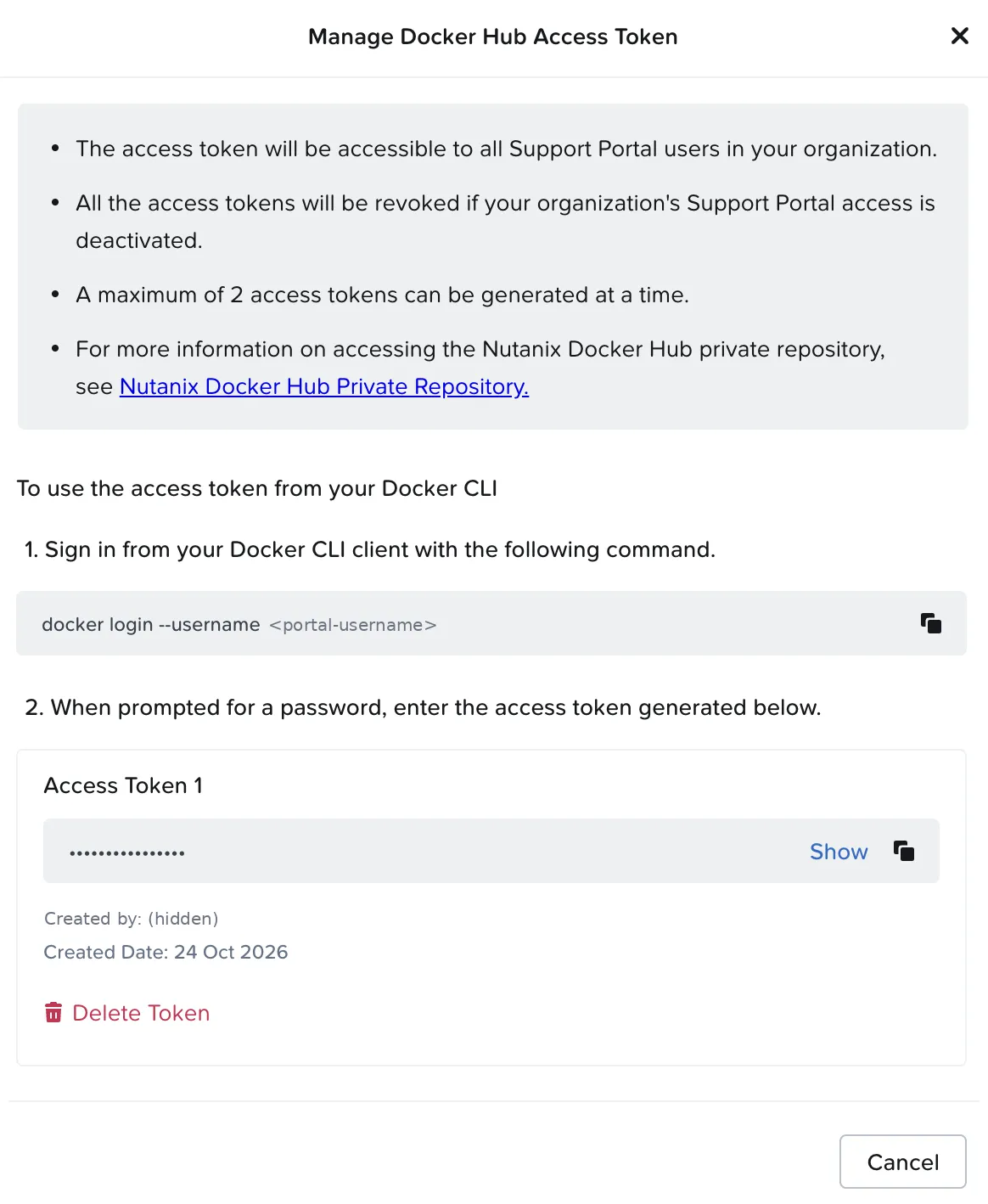
Step 2: test the username and token pair. It is worth checking before applying, with the command the portal itself shows:
docker login --username <portal-username># Password: paste the tokenStep 3: apply it to every cluster. A single command, run against the management cluster, updates the credential on the clusters in every workspace:
read -rsp "Token: " NKP_TOKEN; echo # keeps the token out of shell historynkp update cluster nutanix-registry-credentials --all-namespaces \ --nutanix-registry-username <portal-username> \ --nutanix-registry-password "$NKP_TOKEN"unset NKP_TOKENStep 4: the confirmation. The proof came at the start of Phase 4: the credentials pre-check in nkp upgrade kommander passed with ✓ for the whole fleet, and the upgrade moved on.
Lesson
Generate the token before the window, keep it in the vault and apply it to every cluster, including workload clusters. A regular Docker Hub credential does not replace the Nutanix one.
Layered backup
Since there is no downgrade, I made three layers of backup:
| Layer | What it protects | Detail |
|---|---|---|
| Velero | Management cluster resources (about 4,250 items) | Verified with kubectl get backups.velero.io -A |
| etcd snapshot | The full control plane state | Copied off the cluster (to the bastion), with its SHA256 recorded |
| Prism Central continuous backup | Prism Central itself | Enabled in Prism |
A VM recovery point is not an NKP backup
Prism Central recovery points (VM snapshots) cannot be used to protect NKP workloads. Restoring Kubernetes node VMs from snapshots leaves etcd, Cluster API and volumes inconsistent with each other. For NKP, the recommended tool is Velero (resources and volumes), complemented by the etcd snapshot.
Two traps here:
- On a cluster with CloudNativePG,
kubectl get backupresolves to the CNPG CRD, not Velero’s. My backup “looked” status-less until I used the full name,backups.velero.io. - Velero’s default destination is object storage on the management cluster itself. A backup that lives on the cluster you are upgrading does not protect you from losing that cluster. That is why the etcd snapshot went off the cluster.
Phase 3 outcome
Credentials applied, CPU headroom secured, three layers of backup and every prerequisite green. Only then was the window scheduled.
Summary: what each phase revealed
| Phase | Surprise | Lesson |
|---|---|---|
| 0 | Expired token-based kubeconfig | Keep the admin (certificate) one at hand |
| 0 | Wrong RAM estimate | Confirm the real hardware capacity |
| 0 | The legacy cluster was Prism’s IdP | Map dependencies before deleting |
| 0 | Physical device inside the IPAM pool | IPAM does not see the physical world |
| 1 | New cluster without DNS for Kommander | A managed cluster must resolve Kommander |
| 3 | Missing Nutanix registry credential | Read the target version’s guide |
| 3 | CPU requests at 87% on management | Headroom is an upgrade prerequisite |
| 3 | kubectl get backup hitting the wrong CRD | Use the resource’s full name |
Not a single upgrade command has been run so far.
Next: Part 2
Part 2 covers the upgrade window: Phase 4 (Kommander and the management cluster with the CLI) and Phase 5 (the workload cluster through the new 2.19 UI), with the timing of each step and the problem that had been hiding since Phase 1.
Downloadable checklist
- Read-only assessment with saved evidence
- Admin kubeconfig tested
- Prerequisites checked against the target version’s Upgrade Guide
- N+1 capacity with headroom for the rolling upgrade
- Dependencies mapped before any deletion
- VIPs, MetalLB and physical devices outside the IPAM pool
- Internal DNS resolving the Kommander endpoint on every cluster
- Target version CLI and image (SHA256 checked, original name)
- Nutanix registry credentials on every cluster
- CPU and memory headroom on management
- Layered backup, with one copy off the cluster
References
- NKP 2.19 — Product Updates (Nutanix Community)
- Nutanix Kubernetes Platform Guide 2.19 — Upgrade Nutanix Kubernetes Platform (Nutanix portal)