Upgrading NKP 2.18 → 2.19 in practicePart 3: post-upgrade
Tested onNKP 2.19Kubernetes 1.36.2Rocky Linux 9.8Lab date
Summary: one day after the window, both clusters were healthy, with a fresh backup already on 2.19 and about 75 GiB freed in Prism Central. Then I tested what’s new. The best story is the AI Navigator: it comes enabled after the upgrade, but it can’t see the cluster. It answered 0 out of 3 questions about the lab until I enabled a catalog app, the NKP MCP Server. With it, it got two and a half right. This is part 3, the last one, of the series.
Where we left off
In part 2, the window ended with both clusters on NKP 2.19, Kubernetes 1.36.2 and Rocky Linux 9.8, in about 1h42. What was left was the phase many people skip: confirming everything is really fine, cleaning house and finding out what the new version brings.
| Phase | What it is | Post |
|---|---|---|
| 0 to 3 | Preparation | Part 1 |
| 4 and 5 | The upgrade | Part 2 |
| 6 | Post-upgrade: validation, cleanup and what’s new | Part 3 (this one) |
Phase 6 has three steps:
| Step | What it is |
|---|---|
| 6.1 | Health check of both clusters and a fresh backup, already on 2.19 |
| 6.2 | Cleanup: duplicate backups, old images and recovery points |
| 6.3 | Test what’s new in 2.19 |
Phase 6.1: health check and backup
Goal: confirm, calmly and in writing, that both clusters are healthy, and create a restore point on the new version.
I put everything into a script that runs on the bastion and writes a report. It only reads, with one exception: it creates a Velero Backup object.
| Check | OK criterion |
|---|---|
| CLI and API server versions | nkp 2.19.0; servers on v1.36.2 |
| Nodes in each cluster | all Ready, v1.36.2, Rocky Linux 9.8 |
HelmReleases not Ready | none |
Pods not Running/Completed or with more than 5 restarts | none |
| cert-manager certificates | all ready |
PodDisruptionBudgets with ALLOWED=0 | none (they would block the next drain) |
| Clusters and machines in Cluster API | ClusterClass nkp-nutanix-v2.19.0, machines Running |
| Internal zone in CoreDNS | present in both clusters |
| New Velero backup | Completed, 0 errors |
The backup part is short. The 720-hour TTL keeps the backup for 30 days:
TS=$(date +%Y%m%d-%H%M)cat <<YAML | kubectl apply -f -apiVersion: velero.io/v1kind: Backupmetadata: name: pos-upgrade-2-19-$TS namespace: kommanderspec: includedNamespaces: ["*"] ttl: 720h0m0sYAMLkubectl -n kommander get backups.velero.io pos-upgrade-2-19-$TS \ -o jsonpath='{.status.phase}{" | itens: "}{.status.progress.itemsBackedUp}{" | erros: "}{.status.errors}{" | avisos: "}{.status.warnings}{"\n"}'The result:
| Cluster | Nodes | Version | Applications |
|---|---|---|---|
| Management | 8 of 8 Ready (3 control planes, 5 workers) | v1.36.2, Rocky Linux 9.8 | all Ready |
| Workload | 6 of 6 Ready (3 control planes, 3 workers) | v1.36.2, Rocky Linux 9.8 | all Ready |
No pods in trouble, no pending certificates, no blocking PDBs, and the internal DNS zone from part 1 was still in CoreDNS. The backup finished Completed, with 4,722 items, 0 errors and 21 warnings. That’s about 470 items more than the pre-upgrade backup, because of the new 2.19 components.
The default daily backup doesn’t protect you from losing the cluster
The report showed 30 velero-default-* backups, one per day. That’s the schedule NKP creates by default. But their target is an object store inside the management cluster itself: if the cluster is lost, the backups go with it. Pointing Velero to external storage is on the to-do list.
Phase 6.1 result
Both clusters healthy on 2.19, and a fresh restore point with 0 errors.
Phase 6.2: cleanup
Goal: remove what the upgrade left behind, without deleting anything that’s still useful.
Duplicate Velero backups
Along the preparation, I ended up with two pairs of nearly identical backups: two from before the upgrade and two from after. I kept one of each.
The catch: kubectl delete backup doesn’t delete the backup. It only removes the Kubernetes object, and Velero recreates it at the next sync with the storage. The right way is to ask Velero itself:
cat <<YAML | kubectl apply -f -apiVersion: velero.io/v1kind: DeleteBackupRequestmetadata: name: apagar-pre-upgrade-duplicado namespace: kommanderspec: backupName: pre-upgrade-2-19YAMLIt deletes the object and the data in the storage, and then removes the request itself. That’s why a kubectl get deletebackuprequests right afterwards returns No resources found, and that’s expected.
Old images in Prism Central
The rolling upgrade replaces every VM, so the 2.18 images are left unused. Before deleting, I checked the VM list to make sure none used them. Two went away: the Rocky Linux 9.7 node image and the 2.18 bastion image, about 75 GiB. The Rocky Linux 9.8 image stayed, of course: NKP uses it to create and replace nodes.
VM recovery points
In part 1, I took recovery points of the 14 NKP VMs before the upgrade. Now they’re useless: every VM has been replaced. Since they expire on their own in two weeks, I didn’t need to delete them.
A VM recovery point is not a Kubernetes backup
Restoring a single control plane VM doesn’t restore the cluster. For NKP, what counts is Velero (resources and volumes) and the etcd snapshot.
Phase 6.2 result
One backup from before and one from after the upgrade, plus the daily ones; about 75 GiB freed in Prism Central.
Phase 6.3: what 2.19 brings
Goal: test the new features in the lab, with no GPU and no spare physical server.
I started with a read-only inventory from the bastion, then moved to the UI:
| Feature | Status in the lab |
|---|---|
| AI Navigator and NKP MCP Server | Navigator enabled; MCP Server in the catalog, disabled |
| Headlamp | In the catalog, disabled; the old Kubernetes Dashboard is still active |
| AI Applications | New catalog tab, no app enabled |
| NKP Metal | Resources installed, no hosts |
| DRA (dynamic GPU allocation) | resource.k8s.io/v1 API available, no GPU driver |
| AHV VM Operator | Not enabled |
AI Navigator: before and after the MCP Server
The AI Navigator is Kommander’s AI assistant, the chat icon in the corner of the screen. On first use, it shows a notice:
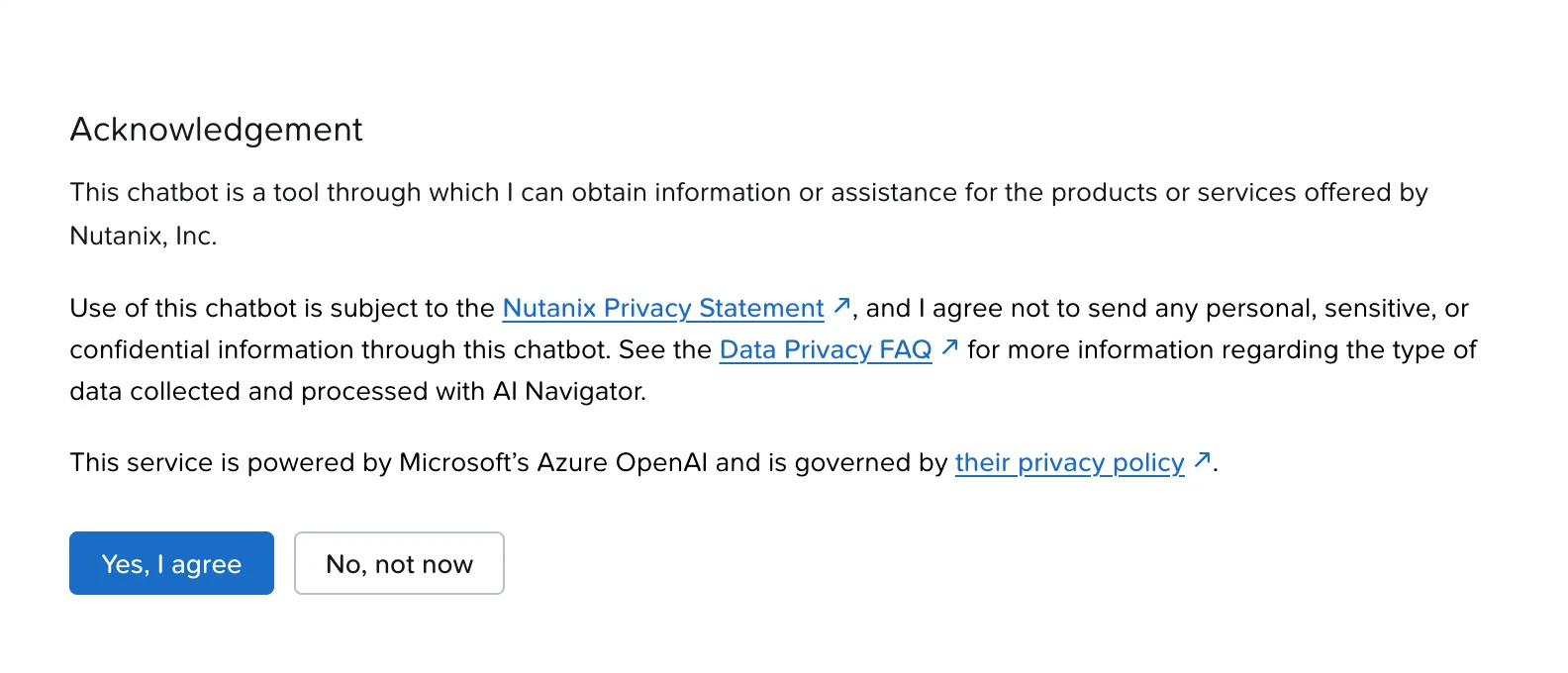
Your questions leave your environment
The chat runs on Azure OpenAI. For customers with data restrictions, check with information security before allowing it, and don’t paste IPs, internal names, tokens or logs with customer data.
I prepared three questions with known answers, to measure it (I asked them in Portuguese):
- Which clusters exist and which Kubernetes version are they on?
- Is there any application with a problem in the services workspace?
- Which management cluster nodes were created in the last 48 hours?
Without the MCP Server: 0 out of 3
On question 1, it asked for clarification and handed me commands to run. Two of them were wrong:
List the clusters with
kubectl get clusters.cluster.x-k8s.io -Aand a jsonpath on.status.version.gitVersion[…] and, for each context,kubectl version --short.
kubectl version --shortwas removed in kubectl 1.28. On 1.36, the flag fails.- The Cluster API
Clusterresource has no.status.version.gitVersion. In a cluster created from a ClusterClass, like NKP’s, the version lives in.spec.topology.version.
I insisted: “I don’t want commands. Query the management cluster directly.” The answer was straightforward:
I don’t have direct access to your management cluster from here […] install the “NKP MCP Server” component from the Kommander catalog.
Questions 2 and 3 went the same way. On 2, it also treated “services workspace” as a namespace literally called serviços, a name that isn’t even valid in Kubernetes. On 3, the script it suggested was actually right, but I’d have to run it myself.
To have the answer key, I ran question 1 on the bastion:
kubectl get clusters.cluster.x-k8s.io -A \ -o custom-columns=NS:.metadata.namespace,NOME:.metadata.name,VERSAO:.spec.topology.version,FASE:.status.phaseNS NOME VERSAO FASEservicos-xxxxx-yyyyy workload-01 v1.36.2 Provisionedkommander mgmt-01 v1.36.2 ProvisionedWhat was missing
The Navigator itself gave the hint. nkp-mcp-server had been in the catalog, as a platform app, since 2.18 (version 0.1.2), and the upgrade brought 0.2.0. But nobody enables it: there was no pod and no AppDeployment for it.
It also wasn’t where I looked. It lives in a new catalog tab, AI Applications, under Data and Agents, not in the General tab. The path is Applications → AI Applications → Data and Agents → NKP MCP Server → Enable, leaving the configuration blank to use the default:
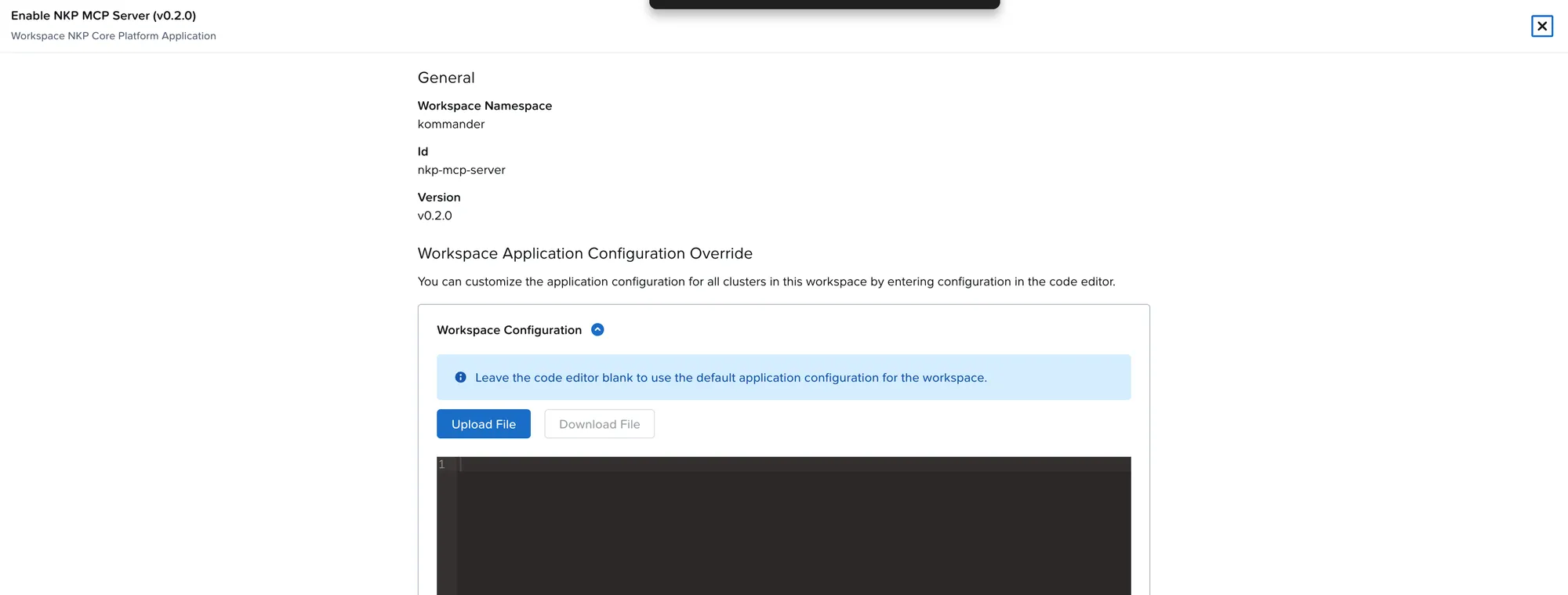
In less than a minute, the pod was Running, with an internal Service on port 80. The category now showed both apps enabled:
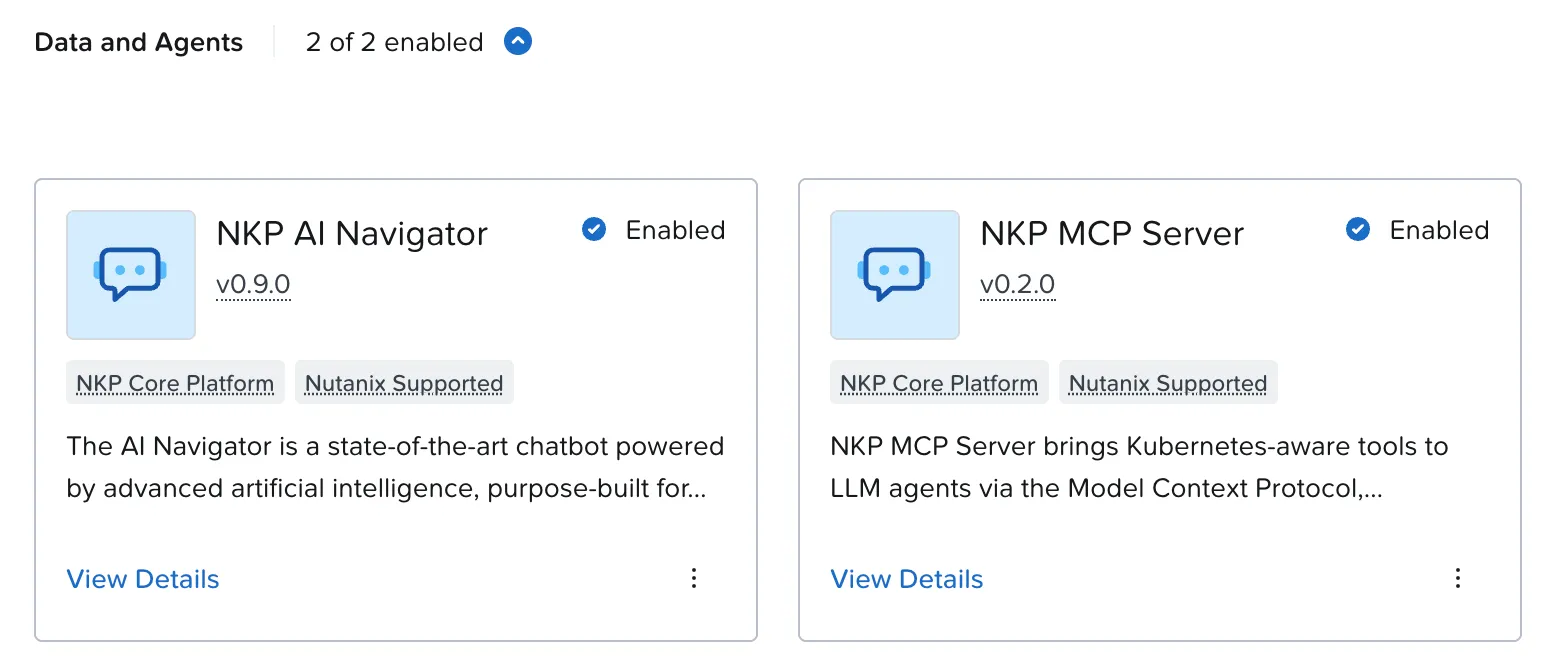
The MCP Server implements the Model Context Protocol: it gives the AI model read tools (get and list) for 13 Kubernetes resource types, such as pods, deployments, services, nodes, events, jobs, ingresses and Flux HelmReleases.
With the MCP Server: 2 out of 3, plus a partial
I reloaded Kommander, opened a new chat and repeated the questions.
Question 1: correct. It listed both clusters, with each one’s namespace, both on v1.36.2, matching the answer key.
Question 3: correct, and detailed. It listed the eight management nodes with each one’s creation time:
mgmt-01-cp-xxxxx 2026-10-24T21:30:16Z # 3 control planes: 21:30 to 21:36 UTCmgmt-01-md-0-xxxxx 2026-10-24T21:40:50Z # 5 workers: 21:40 to 21:53 UTCAnd you can check it isn’t a hallucination: in part 2, the management upgrade ran from 18:28 to 18:54 Brasília time (21:28 to 21:54 UTC), control planes first and then workers. Exactly what it listed.
Question 2: instead of getting it wrong, it asked for clarification.
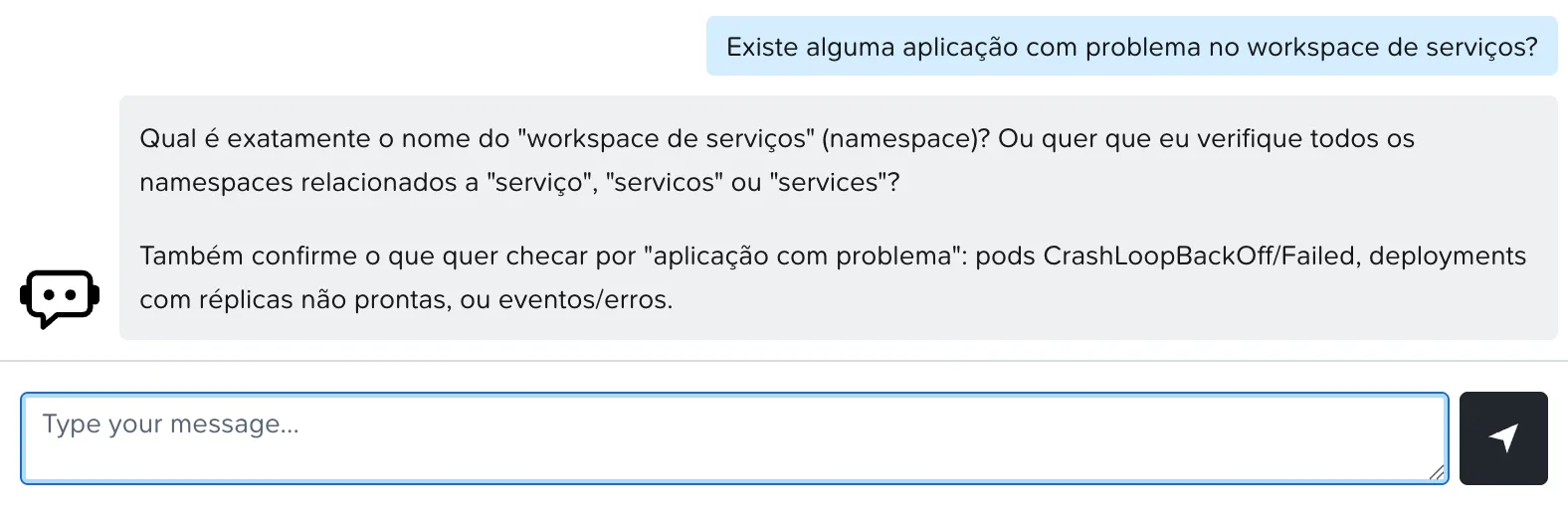
I repeated the question with the workspace namespace. It listed 4 Running pods, 4 deployments with their replicas ready and 3 Ready HelmReleases, and concluded there was no problem. The data was right, with one catch: it was from the management cluster. The components it listed, such as cluster-autoscaler and the certificate federation, run on the management cluster, inside the workspace namespace. The MCP Server was only enabled on the management cluster, so it couldn’t see the workload cluster, even though the answer said otherwise.
| Question | Without MCP | With MCP |
|---|---|---|
| 1. Clusters and versions | ❌ generic commands, two wrong | ✅ both clusters on v1.36.2 |
| 2. Applications with problems in the workspace | ❌ no access | ⚠️ asked for the namespace; with it, right data, but from the management cluster |
| 3. Nodes created in the last 48 hours | ❌ no access | ✅ all 8 nodes, with times that match the upgrade |
| Score | 0 out of 3 | 2 out of 3, plus a partial |
How it reads what it has no permission to read
I checked the MCP Server’s permissions. Its ClusterRole is minimal:
rules:- apiGroups: [""] resources: [pods, pods/log, pods/status] verbs: [get, list, watch]- apiGroups: [""] resources: [namespaces] verbs: [get, list]- apiGroups: [""] resources: [users, groups, serviceaccounts] verbs: [impersonate]It grants no access to nodes, deployments, HelmReleases or Cluster API Clusters, and yet it answered about all of them. The trick is in the last rule: impersonate. The MCP Server runs its queries as the user logged in to Kommander.
- The good side: the answer respects the RBAC of whoever asks. A user restricted to one workspace only sees what they could already see.
- The caveat: cluster-wide
impersonatelets it act as any user, administrators included. The Service is internal, but for a customer I’d restrict access to it with a NetworkPolicy.
AI Navigator lessons
- The upgrade doesn’t turn on the MCP Server. Without it, the Navigator is just a documentation chatbot, and it still gets commands wrong.
- It’s in the AI Applications tab, not in General.
- Ask using Kubernetes names (namespace, cluster), not Kommander names like “workspace”.
- It only sees where it’s installed. Enabled on the management cluster, it answers about the management cluster and Cluster API objects.
Headlamp: the dashboard that made me look again
2.19 brings Headlamp to replace the Kubernetes Dashboard. In NKP, it comes locked down: login through Kommander SSO, no plugins and read-only by default. Enable is under Applications → General → Headlamp. It depends on Traefik, which is already part of the platform, and the screen has a form for CPU and memory limits; I kept the defaults.
In half a minute, it was up at https://<kommander>/dkp/headlamp/, already logged in and in Portuguese, my browser’s language:
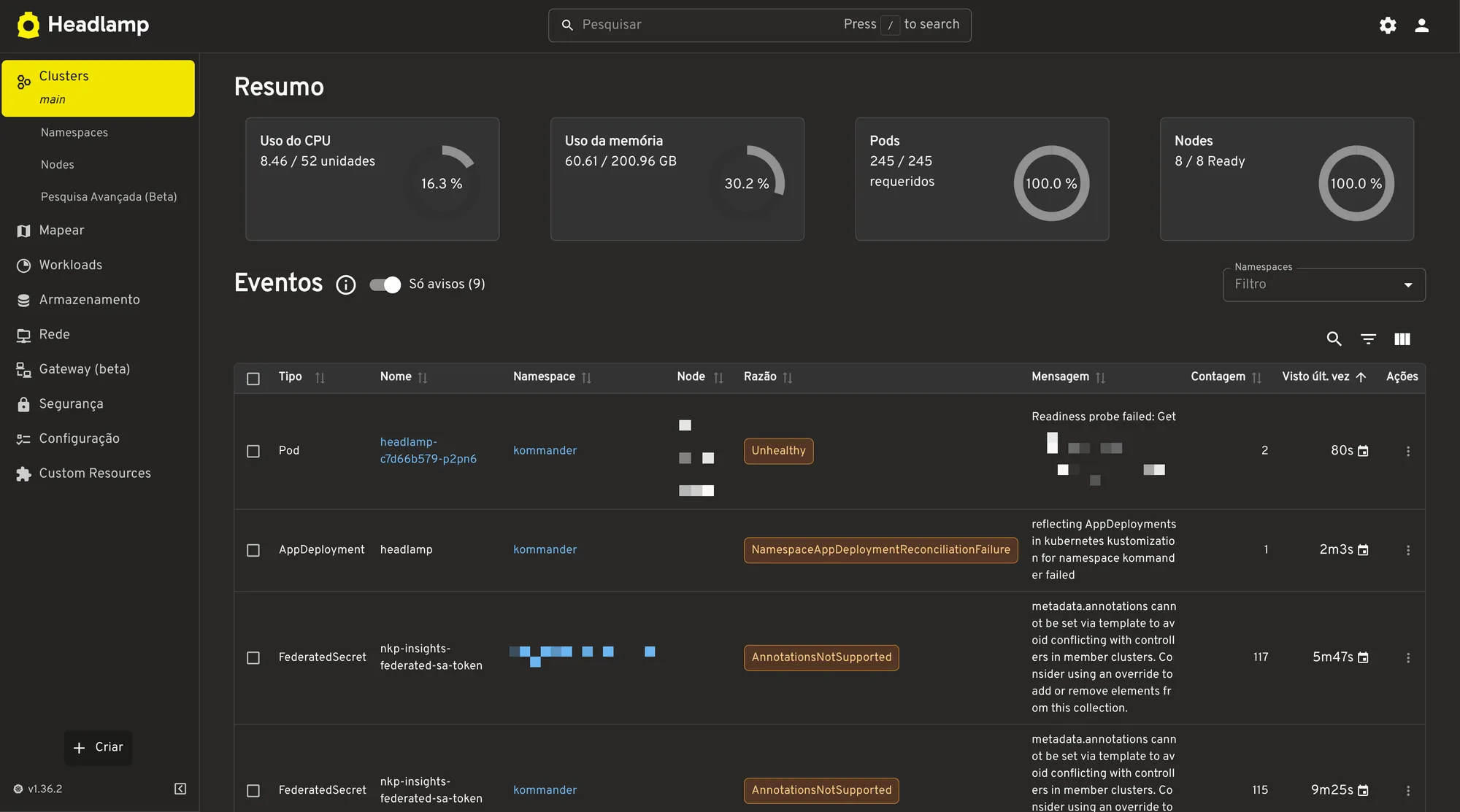
Look at the event list, with the “warnings only” filter. The first two come from Headlamp itself starting up and go away on their own. The third doesn’t: a FederatedSecret called nkp-insights-federated-sa-token failing with AnnotationsNotSupported, 117 times in one namespace and 115 in another. This was happening before Headlamp, and my Phase 6.1 health check actually showed that warning. I classified it as informational and moved on. In Headlamp, with the count next to it, it was clear it isn’t just any warning: it repeats nonstop. It went back on the to-do list.
The map view also helps you understand a cluster you don’t know: objects grouped by namespace, with an “Error or Warning” filter.
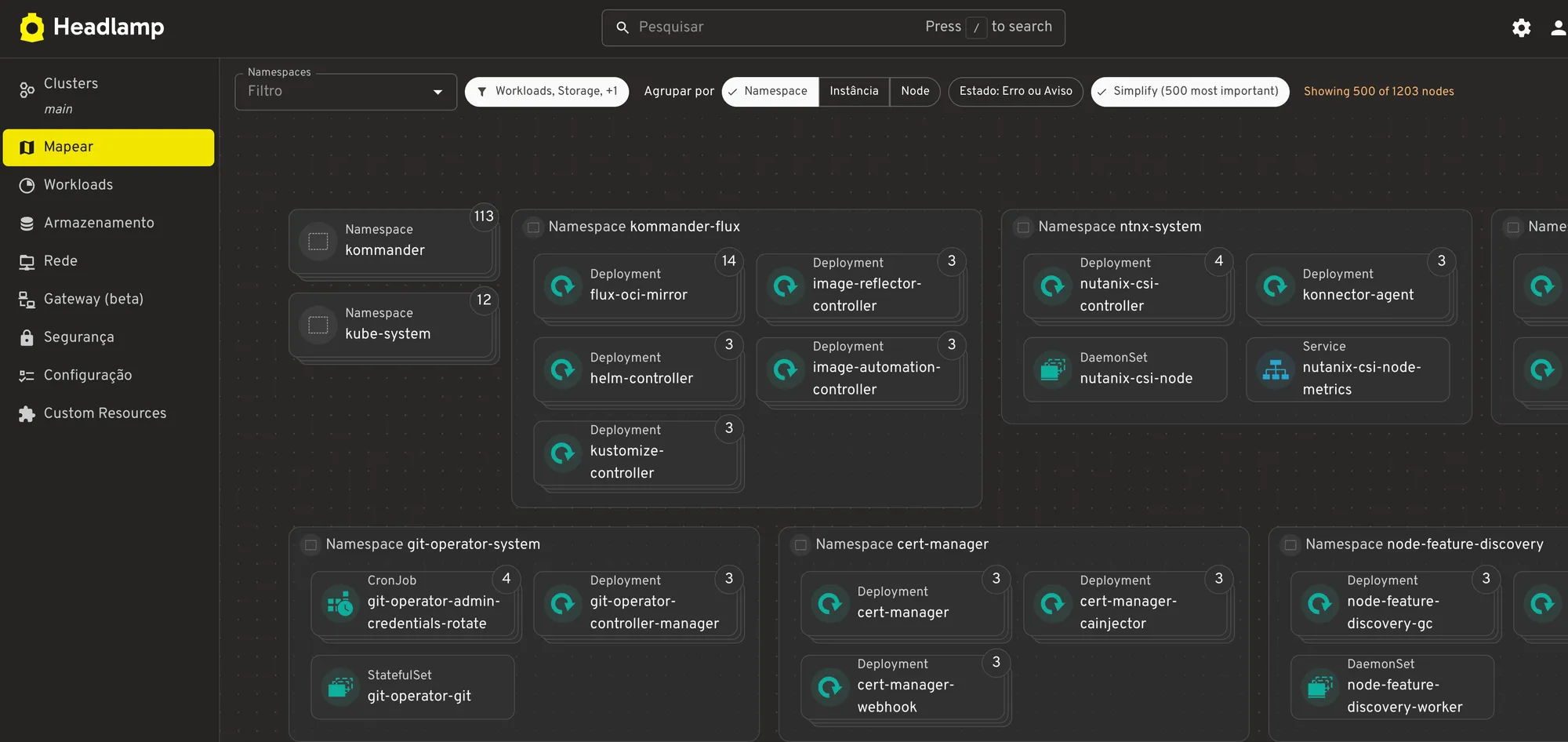
The RBAC follows the same logic as the MCP Server. Headlamp’s account has an impersonation role, so each user only sees what they’re allowed to see. There’s also a ClusterRole bound to all authenticated users, and for a moment it worried me. But it only allows the /dkp/headlamp and /dkp/headlamp/* paths: it’s the door key, with no access to any resource.
The old Kubernetes Dashboard is still enabled. I’ll use Headlamp for a few days before turning it off.
AI Applications: the AI catalog
The new catalog tab has 18 apps in 6 categories, all disabled by default:
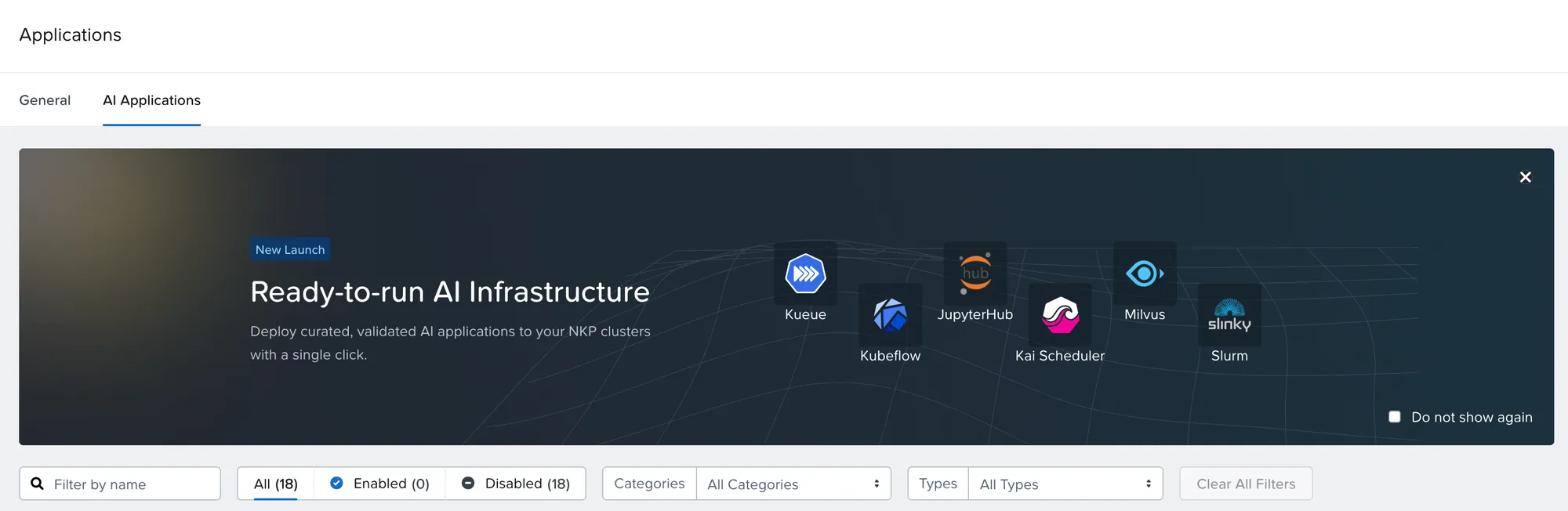
| Category | Apps |
|---|---|
| Accelerated Infrastructure | NVIDIA GPU Operator, NVIDIA Network Operator, AMD GPU Operator, AMD KMM, AMD Network Operator |
| Inferencing and Serving | Nutanix Enterprise AI 2.8.1, NAI Envoy Gateway, KServe, LeaderWorkerSet, Traefik API Management |
| Model Development and Training | JupyterHub, Kubeflow Pipelines |
| Scheduling and Orchestration | KAI Scheduler, Kueue, Slurm Operator |
| Data and Agents | NKP MCP Server, Milvus Operator |
| Monitoring | Kubex for NKP |
It’s worth understanding each app’s badge before offering it to a customer:
| Badge | What it means |
|---|---|
| Nutanix Supported | Developed by Nutanix, with full support and SLA |
| Qualified | Open source curated by Nutanix. The screen itself warns that Nutanix can’t guarantee it’s bug-free or that bugs will be fixed in a timely manner |
| Preferred Partner | Partner product |
| NKP Core Platform | Upgraded together with the cluster |
KAI Scheduler is a good example of how to read the catalog: it runs alongside the default scheduler, only acts on pods that ask for schedulerName: kai-scheduler, and requires nvidia.com/gpu or amd.com/gpu on the nodes. With no GPU in the lab, I didn’t enable it.
NKP Metal and the rest
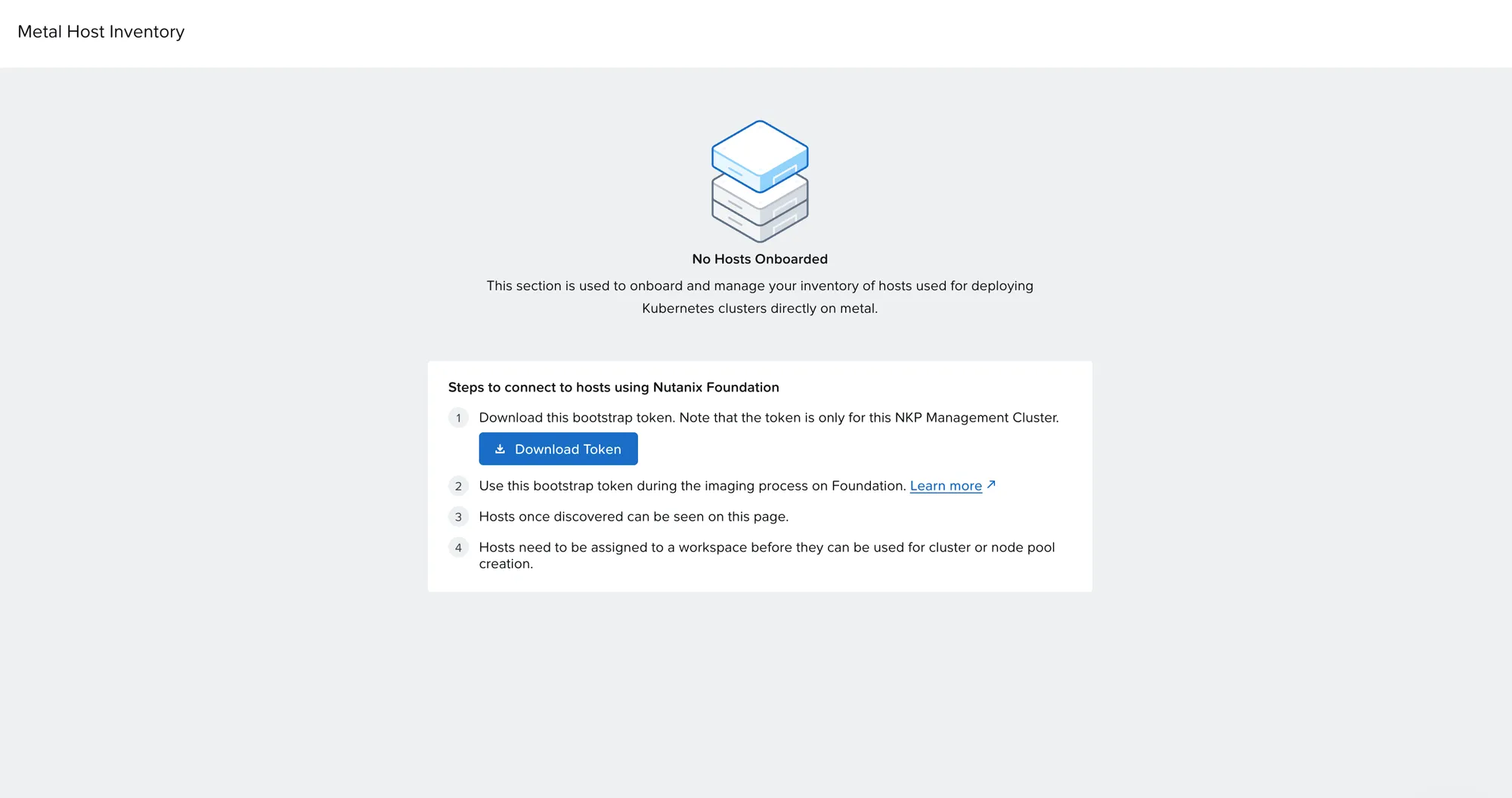
The Metal Host Inventory menu, which showed up in part 2, is empty. Physical servers come in through Nutanix Foundation, with a bootstrap token generated there, and must be assigned to a workspace before becoming a cluster or node pool. With no spare server in the lab, I stopped at the screen.
The bootstrap token is a credential
It’s only valid for that management cluster. Don’t download it out of curiosity and don’t leave it in a shared folder.
Finally, the DRA API (resource.k8s.io/v1, stable in Kubernetes 1.36) is available on the workload cluster, but with no device class, since there’s no GPU driver. And the AHV VM Operator isn’t enabled out of the box.
Phase 6.3 result
AI Navigator with MCP Server and Headlamp enabled and tested; the AI catalog, NKP Metal and DRA inventoried. And a warning I had dismissed went back on the list.
What I learned across the series
Putting the three parts together, these are the lessons I’d take to a customer:
- Preparation is most of the work. The window took 1h42; the preparation took much longer. And the preparation is where the DNS and credential problems showed up.
- A new cluster can be born with a hidden defect. The ConfigMap missing on the workload cluster (part 2) came from its first day without DNS, and only surfaced because the UI requires every application to be healthy.
Trueon a HelmRelease doesn’t mean the application is running. Look at pods and events.- A yellow warning with the step still spinning isn’t a failure. Cluster API retries.
- A backup inside the cluster isn’t a backup. The Velero default needs an external target.
- The upgrade brings new tools, but doesn’t turn them on. The MCP Server and Headlamp were one click away, and both changed how I see the cluster.
- A warning that repeats isn’t informational. Look at the count, not just the message.
Phase 6 summary
| Step | Result |
|---|---|
| 6.1 Health check and backup | 2 healthy clusters; backup of 4,722 items with 0 errors |
| 6.2 Cleanup | 1 backup from before and 1 from after; about 75 GiB freed |
| 6.3 What’s new | AI Navigator from 0 to 2 out of 3 with the MCP Server; Headlamp up; AI catalog, Metal and DRA inventoried |
Left for later
- Point Velero to storage outside the cluster
- Investigate the
FederatedSecretwarning Headlamp showed - Restrict access to the MCP Server Service with a NetworkPolicy
- Turn off the Kubernetes Dashboard after a few days with Headlamp
Post-upgrade checklist
- Health check of both clusters, saved to a file
- New Velero backup on the new version, with 0 errors
- Backup target outside the cluster
- Customizations (CoreDNS, hand-made ConfigMaps) checked
- Duplicate backups deleted with
DeleteBackupRequest, notkubectl delete - Old images removed from Prism Central, after checking no VM uses them
- NKP MCP Server enabled, if you’ll use the AI Navigator
- Headlamp enabled and warning events reviewed
End of the series
Thanks for following all three parts. If you’re planning the same upgrade and want to compare notes, reach out on LinkedIn.
References
- NKP 2.19 — Product Updates (Nutanix Community)
- Model Context Protocol
- Headlamp
- Velero — Deleting backups
- Nutanix Kubernetes Platform Guide 2.19 (Nutanix portal)
Comments
Comments use GitHub Discussions; you need a GitHub account.